Z3
Part Number : Z3
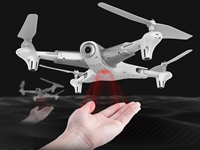
SymaIntegrated Foldable Drone: Unassembled folding drone gives you a more convenience flying experience.
New Flight Technology: Have in hand for the main functions just in 10 seconds
Folding drone body
One key take off / landing
Headless mode
Gravity sensor
Real time transmission
WiFi camera
Barometric pressure hover function
360 degree stunt
Delicate Folding: Aircraft will reduce it's size from 32cm to 13.2cm after it is folded.
116g drone body weight
13.2cm folded size
Streamlined Design: Curve lines help to reduce wind resistance during the flight for an unimpeded flying experience.
≥8 minutes battery lifecycle during a continuous flying
>80m indoor flying distance
≤80m a smooth real time transmission distance
<120 minutes battery charging time
4G frequency remote control
7V/500mah Battery volume, easy to replace with modular battery
HD camera: equipped with HD camera, everything is natural and real
720P camera
100W WiFi mobile phone pixel
≤80ma smooth real time transmission distance
Optical Flow Positioning Barometric Pressure Hover Function
Collected obstacles data through the optical flow sensor to present the auto follow function
Stabilize hover function with precise height and position locking, aircraft remain at its current altitude when the remote control is inactive
acquisition obstacle data through barometric pressure and optical flow sensor, double locking enables a more stable hover function, as well as a clearer photo shooting
Multi Gameplay Multi Control: By tilting your mobile phone in gravity mode, you can move the aircraft to front, back, left and right. You may also use the remote control as usual.
Carefree flying: Simple Operation, beginners can also enjoy the fun of drone in 10 minutes.
Real Time Transmission: An unhindered real time transmission within 80m, let you be with your aircraft all the time.
Gravity control by Apps: Download Syma official App (Applicable to IOS / Android), connect the drone by WiFi, and switch on the gravity mode to control the aircraft.
Flight plan by APP: Under mobile phone control, tag to open the flight pan, draw the flight plan on the screen, the aircraft will fly according to your plan.
360° Degree Stunt In One Key: Fancy stunt pattern gives you brand new excitement.
Modular battery SAFE
The external packaging of the battery provides extra protection for the battery, making it easier to replace the battery, flight time can reach 8 minutes or above.
X25Pro
Part Number : X25Pro
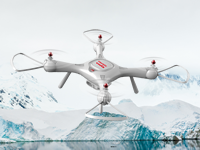
SymaGPS positioning return system
X25Pro is installed with GPS Intelligent positioning return system. When you are having your outdoor fly, the aircraft will search the satellite signal automatically and implement with its positioning function.
Hover Function: aircraft can be set at certain altitude to stable the shooting.
Incontrollable State: Aircraft will return home automatically when it is disconnected.
Low Battery State: Aircraft will return home automatically when its battery is low.
FPV Live Stream
FPV is the first person view, with the live stream of Syma X25Pro, Under the same scenery, you will be impressed by a brand new angle of view with Syma.
Capture the moment
With the remotely controlled HD camera,you can capture every marvelous moment.
SYMA App leads you into the new aerial era
SYMA has redefined the professional of aerial experience. Now you can use your mobile phone to control your drone. Controlling functions are much more convenience. Right now, by installing the “SYMA FLY” App to your mobile phone and enjoy the special function that SYMA brings to you.”SYMA FLY” does not only have the remarkable interface, but also the funtions of one-key take off/landing,one-key start/stop, track of flight etc.You can enjoy simple and easy flying experience with “SYMA FLY”.
Surround flight: When the aircraft fly to any point, click "GO" at right bottom corner, then the aircraft will fly surrounding with the phone / pilot.
Follow me: When the aircraft is away from the phone more than 10m, click "GO" on right bottom corner, then the pilot keep walking forward, the aircraft will then follow after you.
Guided flight: On the area where identified by the map, click on any point on the map, and then click "GO" at the right bottom corner, the aircraft will automatically fly to that specified location.
Apps control: With the unique Apps control function, you can experinece the different type of remote control flying.
Waypoint control: Open the "SYMA FLY" App, simply by using your fingertips to draw your route on the screen, the aircraft will be then auto-piloted with the given path as per your drawing.
Hover function: With the advanced Barometric pressure technology, it enhances the shooting stability with hover function, and reduce the blurring of shooting due to the shaking of the aircraft.
Headless mode: The aircraft will always follow the command from the remote control once enter into the headless mode.
One key take off / landing: After code matching, the aircraft can be taken off / landed gradually by pressing only one button on the remote control.
Extra-tough casing
By using the ABS material on the fuselage, resulted in stronger tenacity, corroision resistance, wear resistance and gives a better protection when falling off.
Double protection
Low Battery Protection: When the indicator lights are flashing, it means Syma X25Pro is in low battery. At this time, please return Syma X25Pro to home with your controller. If the battery is insufficient for returning home, Syma X25Pro will be landed automatically.
Overcurrent Protection: When the propeller of Syma X25Pro is being knocked / jammed while in flying mode,the over-current function will automatically stop the movement of the propeller to protect the damage of the drone itself.
Independent ESCs provide worry-free flying experience
syma quadcopter that added the ESC with built-in automatic lock protection and high termperature lock protection. It ends up pilot's worry about motor and ESC turn out due to dead lock. The ESCs support 2S-3S capacity Li-polymer battery.
Reinforced blades
Heat-resistance, Corrosion resistance and wear-resisting are enhanced by using the nylon engineer plastics on our blades.
Features:
Battery: 7.4V 1000 mAh Li-ion(included)
Charging time: About 150 minutes
Transmitter Battery: 4"AA" batteries(not included)
Controlling distance: About 70 meters
Flying time: About 12 minutes
Box Size: 45.4 X 10 X 26.5 cm
Product Size: 37.5 X 37.5 X 11 cm
Frequency: 2.4G
What's included:
Aircraft
Remote Control
Main Blade
USB Charge
Instruction Manual
Battery
Screwdriver
Z1
Part Number : Z1
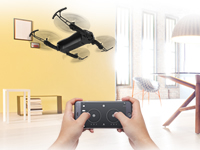
SymaSYMA Z1 is a foldable and portable APP control aircraft, you can simply use the unique APP control function to perform different kinds of flying operation. Unlike the traditional control system, SYMA Z1 possesses the new SYMA GO APP gravity sensor. Once you entered the Gravity Sensor Mode, you are able to pilot your drone by swinging your phone. It is also able to follow your path that draw on your phone via the Waypoint Control. In the meanwhile, you are able to enjoy the remarkable live stream and HD photos that recorded by SYMA Z1. Another highlight is the Optical Flow Positioning, it is done by acquiring the image through the collector and calculating the displacement by the optical flow method so that to find out the precise location of your drone. The Low Battery Protection provides assurance for battery safety and the Overcurrent Protection stops the propeller when it is jammed while flying which prevent the drone from further harm in order to protect the drone itself.
SYMA App leads you into the new aerial era
SYMA has redefined the professional of aerial experience. Now you can use your mobile phone to control your drone.Controlling functions are much more convenience. Right now,by installing the “SYMA FLY”App to your mobile phone and enjoy the special function that SYMA brings to you.”SYMA FLY”does not only have the remarkable interface,but also the funtions of one-key take off/landing,one-key start/stop, track of flight etc.You can enjoy simple and easy flying experience with “SYMA FLY”.
Apps Control
With the unique Apps control function, you can experinece the different type of remote control flying.
Waypoint Control
Open the "SYMA FLY" App, simply by using your fingertips to draw your route on the screen, the aircraft will be then auto-piloted with the given path as per your drawing.
Gravity Sensor Mode
Say goodbye to the traditional control system,with the completely new SYMA FLY app gravity sensor, Just press the application in the gravity sensor mode interface, swing the phone in different directions, the aircraft will fiy in the direction according to the remote control.
FPV Live Stream
FPV is the first person view, with the live stream of Syma Z1, Under the same scenery, you will be impressed by a brand new angle of view with Syma.
Optical Flow Positioning
Acquire the image through the collector, and calculate the displacement by the optical flow method so as to realize the precise positioning of the UAV.
Hover Function
With the advanced Barometric pressure technology, it enhances the shooting stability with hover function, and reduce the blurring of shooting due to the shaking of the aircraft.
Headless mode
The aircraft will always follow the command from the remote control once enter into the headless mode.
Foldable mode
The aircraft can be folded when not in use and provide you a portable experience.
Double Protection
Low Battery Protection: When the indicator lights are flashing, it means Syma Z1 is in low battery. At this time, please return Syma Z1 to home with your controller. If the battery is insufficient for returning home, Syma Z1 will be landed automatically.
Overcurrent Protection: When the propeller of Syma Z1 is being knocked / jammed while in flying mode,the over-current function will automatically stop the movement of the propeller to protect the damage of the drone itself.
Features:
Battery: 3.7V 500 mAh Li-ion (included)
Charging time: About 130 minutes
Transmitter Battery: 4"AA" batteries (not included)
Controlling distance: About 70 meters
Flying time: About 7 minutes
Box Size: 18 x 12 x 6.8 cm
Product Size: 25.6 x 20 x 3.5 cm
Frequency: 2.4G
What's included:
Aircraft
Remote Control
Main Blade
USB Charge
Instruction Manual
Battery
Protective Gear
X8HW
Part Number : X8HW
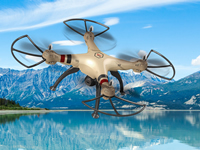
SymaReal Time HD Image Transmission
With HD image transmission technique of the quadcopter, you can watch HD aerial photos in real time by using SYMA FPV. What you need to do is to download the APP SYMA FPV to your mobile devices and connect with the transmitter.
How To Connect
Connect the model to its power source, the camera indicator light should turn green. Within 20 seconds, the red light will flash slowly and the camera will be waiting for a connection with a smartphone. At this time, enter the“Settings” option on your phone, and turn on WiFi. In the WiFi search list,look for a network called “FPV-WIFI- ****” and connect to it. Once connection has been established, exit the “Settings” option. Open the SYMA FPV App, click the “START” icon to enter the control interface. The phone's screen will display real-time images. A full bar in the WiFi signal icon indicates the strongest possible signal.
Hd Cam Equipment
X8HW equipped with HD cameras, so you can take the pictures/videos while you are controlling the aircraft to enjoy the flying pleasure.
6 Axis Gyro
Equipped with the latest 6-axis flight control systems and 3D lock, enhancing the operation force with longer flight time.
Headless mode
In headless mode, the operator does not need to the position of aircraft’s headpiece, and he just needs to control the aircraft in accordance with the direction of remote control’s operating rod.
Barometer Set Height
After using the left joystick (Accelerator) tocontrol the ascending / descending flight of theaircraft, free up the left joystick (Accelerator) andthe aircraft will still hover at that height at whichthe joystick is freed.
Blade protector
With the high elastic protector,the functionsof anti-drop and anti-collision are beingenhanced from the wear of the blades.
360° Rolling
A key for 360° rolling, perfect and marvelous performancewill be found with continuous rolling.
Colorful flashing lights
Colorful flashing light of red and green keeps your aircraft eye catching and attractive even at night.
2.4GHz remote control
Using Spread Spectrum Technology for Further remote distance, Best anti-interference ability, Least power consumption. You could fly more helicopters at the same time, its reaction speed is 100 times faster than other Radio Control.
What's Included:
Aircraft
WiFi Camera
Remote Control
Mobile Phone Retaining Clip
Main Blade
Screws (24 nos.)
Instruction Manual
Foot Stand
Screwdriver
Iron shaft
Protection Gear
Blade lockstitch
Charge box
Card Reader
Battery
X5UW
Part Number : X5UW
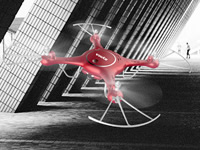
SymaSyma's X5UW is a 4-channel real-time FPV quadcopter.
Wonderful vision, and let you explore
When camera meets drone, a walking movie is switched on. The flying drone takes the camera to capture the view that the camera never saw on the ground; the real-time images transmission system offers you much more convenient aerial experience.
720p WiFi cam equipment
The X5UW is equipped with HD cameras, so you can take the pictures/videos while you are controlling the aircraft.
SYMA App leads you into the new aerial era
SYMA has redefined the professional of aerial experience. Now you can use your mobile phone to control your drone. Controlling functions are much more convenience. Right now, by installing the "SYMA GO" App to your mobile phone and enjoy the special function that SYMA brings to you. "SYMA GO" does not only have the remarkable interface, but also the funtions of one-key take off/landing, one-key start/stop, track of flight etc. You can enjoy simple and easy flying experience with "SYMA GO".
How to connect
Connect the model to its power source, the camera indicator light should turn green. Within 20 seconds, the red light will flash slowly and the camera will be waiting for a connection with a smartphone.
At this time, enter the "Settings” option on your phone, and turn on WiFi. In the WiFi search list, look for a network called "FPV-WIFI-****" and connect to it. Once connection has been established, exit the "Settings" option.
Open the SYMA GO App, click the "START" icon to enter the control interface. A full bar in the WiFi signal icon indicates the strongest possible signal.
App control
Unique remote control function of App, enables the users to experience the new fun of flying. To fly your drone even without the transmitter.
Flight Plan
Open the "SYMA GO" App, use your fingertips to draw your flight plan. Just simply draw a route on the screen, then the copter will be auto-piloted with the given path as per your drawing.
Gravity control mode
Touch the button; once it turns black, the model is in G sensor control mode.The modelMovement (left, right, forward and backward)Control by the accelerometer of the mobile phone.
Double protection
Low-Voltage protection: When the four indicator lights at the bottom of aircraft start flicking, it means that the aircraft's battery power is low. At this time, the aircraft will initiate the height- limiting function and will drop to certain safety height.
Over-current Protection: If the drone encounters a direct impact from a foreign object, or is obstructed, or if the blades are not functioning, the drone will go into over-current protection mode.
FPV Real-time images transmission
FPV means "First Person View", which means a video camera is mounthd on the aircraft and broadcasts the live video to the pilot on the ground. You can view the real-time HD images/videos taken by the aircraft. You can share the same view with different pilots even you are at different locations.
Barometer set height
After using the left joystick (Accelerator) to control the ascending / descending flight of the aircraft, free up the left joystick (Accelerator) and the aircraft will still hover at that height at which the joystick is freed.
Headless mode
In headless mode, the operator does not need to the position of aircraft’s headpiece, and he just needs to control the aircraft in accordance with the direction of remote control’s operating rod.
Reinforced blades
Fan adopts nylon engineering plastics to produce. Compared with common fan, it is more heat-resisting, corrosion resistance, and resistant to wear.
Extra-tough casing
Fuselage adopts ABS materials; strong tenacity, difficult to corrode, good resistance to fall off, resistant to wear.
High capacity battery
With new high-energy cell and advanced battery management system, it can offer sufficient power for drone. The battery must charge with special charger that made by SYMA authority.
Independent ESCs provide worry-free flying experience
syma quadcopter that added the ESC with built-in automatic lock protection and high termperature lock protection. It ends up pilot's worry about motor and ESC turn out due to dead lock. The ESCs support 2S-3S capacity Li-polymer battery.
What's included:
Aircraft
Mobile Phone Retaining Clip
Remote Control
Card Reader
Main Blade
USB Cable
Instruction Manual
Memory Card
Screwdriver
Battery
Charge box
X23W
Part Number : X23W
SymaHD camera: Explore the world with Syma.
Hover Function: With the advanced Barometric pressure technology, it enhances the shooting stability with hover function, and reduce the blurring of shooting due to the shaking of the aircraft.
FPV Live Stream: FPV is the first person view, with the live stream of Syma X23W. You will be impressed by a brand new angle of view with Syma.
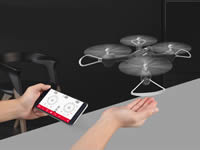
App control: With the unique App control function, you can experinece a different type of remote control flying.
Waypoint Control: In the "Syma Go" App, enter the waypoint control function. Simply draw a route on the screen with your fingertip and Syma X23W will then move in that direction automatically.
App Intellectual control Era "FLY" simply with one touch
Unlock Syma X23W, the propeller will start spinning gradually. Then press the "UP" button, Syma X23W will start flying upward.
While Syma X23W is flying, press the "DOWN" button, Syma X23W will gradually land on the ground.
Gravity Control Mode
Press the "GRAVITY" button on the screen, Syma X23W will be in gravity sensor control mode. Simply tilt your mobile to the left / right / forward / backward, Syma X23W will be following your movement.
Double protection
Low Battery Protection: When the indicator lights are flashing, it means Syma X23W is in low battery. At this time, please return Syma X23W to home with your controller. If the battery is insufficient for returning home, Syma X23W will be landed automatically.
Overcurrent Protection: When the propeller of Syma X23W is being knocked / jammed while in flying mode, the over-current function will automatically stop the movement of the propeller to protect the damage of the drone itself.
Headless Mode
The aircraft will always follow the command from the remote control once enter into the headless mode.
360 degree Flip Over
Can meet tumbling patterns such as up & down,backward & forward, left & right etc.
LED Navigation lights
Colorful navigation lights provide you magical experience througout day & night.
Entering into a new Era with Syma Apps
Syma has redefined the experience of professional aerial photography, your device can be your controller of our Syma drones.
Syma brings you a richer and easier control function with our Syma App. Simply download and install "Syma Go" on your device to enjoy the special features."Syma Go' comes with outstanding interface, despite of one key take off / landing, there are features such as one key on / off, waypoint function, gravity mode etc. Have an easier and smoother flying experience with our Syma X23W.
Features:
Battery: 3.7V 500mAh Li-ion(included)
Charging time: About 130 minutes
Transmitter Battery: 4"AA" batteries (not included)
Controlling distance: About 70 meters
Flying time: About 7 minutes
Box Size: 44 X 7 X 26 cm
Product Size: 21 X 21 X 5 cm
Frequency: 2.4G
What's in the box:
Aircraft
Remote Control
Main Blade
USB Charge
Instruction Manual
Battery
Screwdriver